E2B CLI 兼容指南
本文档描述 E2B CLI 的使用方式,确保与本环境中验证的 CLI 行为兼容。
安装
使用 E2B CLI 官方文档的安装说明:
安装后,验证 CLI 是否可用:
认证
在操作沙箱前进行认证:
export E2B_API_KEY=sys-2492a85b10ed4cb083b2c76b181eac96
export E2B_API_URL=https://your.domain/e2b/v1
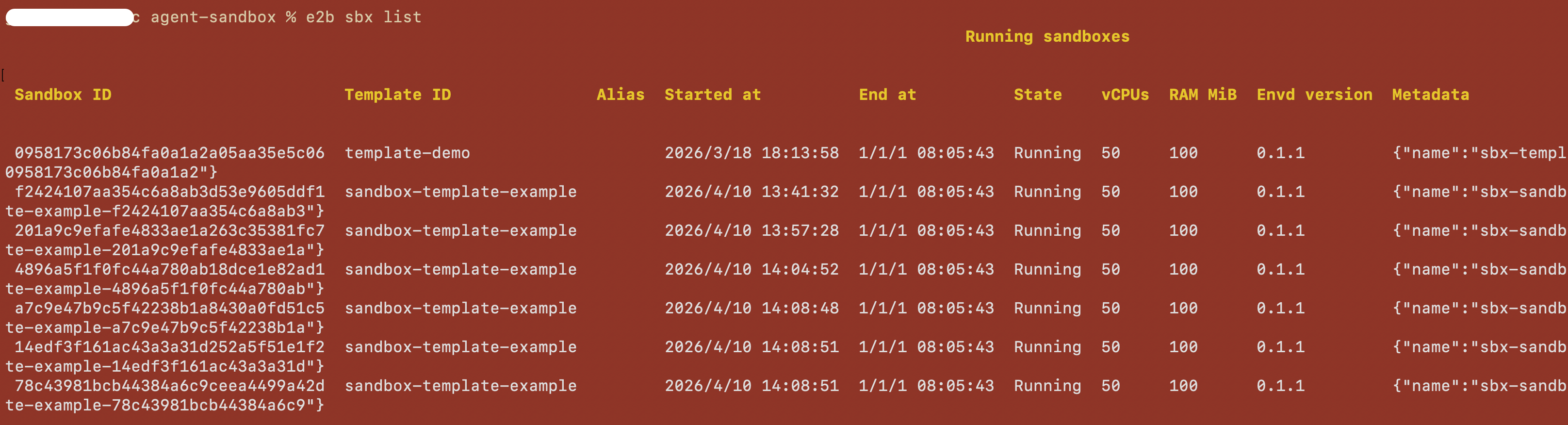
列出沙箱
列出运行中的沙箱(默认行为):
创建沙箱
创建沙箱并将终端连接到它:
连接沙箱
通过 ID 连接到已有的运行中沙箱:
示例:
在沙箱中执行命令
在运行中的沙箱内执行命令:
示例:
# 基本命令
e2b sandbox exec sbx_1234567890 ls -la

# 设置工作目录
e2b sandbox exec --cwd /home/user sbx_1234567890 pwd

# 以特定用户运行
e2b sandbox exec --user root sbx_1234567890 whoami

# 传递环境变量(可重复)
e2b sandbox exec -e FOO=bar -e HELLO=world sbx_1234567890 env

# 后台运行
e2b sandbox exec --background sbx_1234567890 python -m http.server 8080